

Mobile photo editing continues to evolve, and Snapseed remains one of the most trusted apps for creators who want professional results without complicated tools. Among all its features, Snapseed QR has become a game-changing shortcut that helps users apply high-quality edits instantly.
Instead of manually adjusting exposure, contrast, color balance, and grain every time, QR Snapseed allows you to scan a code and apply a complete preset in seconds. This method is especially popular among creators who post frequently on social platforms and want consistent visual quality.
If you are looking for a faster, smarter way to edit photos, learning how to use Snapseed QR is essential.
👉 You can explore curated QR Snapseed presets here: 1000+ Best Preset Ideas & Barcode Styles for 2026
What Is Snapseed QR and Why It Matters
QR Snapseed is a built-in feature that lets users save editing settings as a QR code. When scanned, this QR instantly applies the same adjustments to another photo. It works like a preset but without downloading external files or apps.
This feature matters because it solves three common problems:
-
Time-consuming manual edits
-
Inconsistent photo styles
-
Difficulty recreating the same look
With Snapseed QR, creators can maintain a signature style across dozens of photos while saving hours of editing time.
👉 For a beginner-friendly guide to QR Snapseed workflows, visit: Instagram (snapseed_qr_codes_) or Pinterest (SnapseedQRCodes)
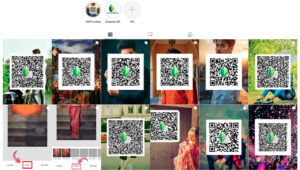
Why Snapseed QR Is Trending Among Mobile Creators
The rise of short-form content has pushed creators to produce more visuals at a faster pace. QR Snapseed fits perfectly into this workflow.
Here’s why Snapseed QR is gaining massive attention:
-
Speed: One scan replaces multiple editing steps
-
Consistency: Ideal for feed aesthetics and branding
-
Accessibility: Works smoothly on budget and mid-range devices
-
Creative freedom: Easy to tweak after applying a QR preset
Many users prefer QR Snapseed over traditional presets because it feels lightweight and flexible. You can apply the base look and still fine-tune highlights, shadows, or color temperature.

How to Use QR Snapseed Step by Step
Using QR Snapseed is simple, even if you are new to photo editing.
-
Open Snapseed and edit a photo as usual
-
Tap the menu icon and select QR Look
-
Choose Create QR Look to generate a code
-
Save or share the QR image
-
To apply it, open another photo and scan the QR Snapseed
This process makes QR Snapseed perfect for sharing presets on social media, websites, or private groups. Explore more of the most trending Snapseed QR codes HERE


Best Types of Snapseed QR Presets in 2026
1. Street Photography Look
Street-style Snapseed QR presets focus on contrast, muted colors, and controlled highlights. They work well for urban scenes, night shots, and candid moments. Slight grain and shadow depth help photos feel more cinematic.

2. Portrait Enhancement QR
Portrait QR Snapseed presets usually soften skin tones while keeping facial details sharp. These presets balance warmth and brightness without making images look over-processed, making them suitable for everyday lifestyle photos.

3. Minimal Aesthetic Presets
Minimal QR Snapseed styles reduce saturation and sharpen composition. These presets are popular for clean backgrounds, product shots, and calm visual themes. They highlight simplicity while maintaining professional polish.

4. Cinematic Mobile Look
Cinematic QR Snapseed presets add mood through deeper shadows, subtle color grading, and film-like textures. They are often used for storytelling visuals and emotional scenes.

👉 You can find updated Snapseed QR styles for different photo types here: Best Snapseed QR Code
How Snapseed QR Improves Content Consistency
One of the biggest challenges for creators is maintaining a unified look across posts. Snapseed QR solves this by allowing you to reuse the same editing formula repeatedly.
Benefits include:
-
Stronger personal branding
-
Cleaner social feeds
-
Higher engagement due to visual consistency
When followers recognize your editing style, your content becomes more memorable. QR Snapseed helps build that identity without complex editing software.
Common Mistakes When Using QR Snapseed
Even though QR Snapseed is powerful, some users make simple mistakes:
-
Applying the same QR preset to very different lighting conditions
-
Overusing contrast and saturation
-
Not adjusting exposure after scanning a QR
To get the best results, treat Snapseed QR as a starting point, not the final step. Small adjustments can make a huge difference.
Snapseed QR vs Traditional Presets
Compared to traditional presets, QR Snapseed offers several advantages:
| Feature | Snapseed QR | Traditional Presets |
|---|---|---|
| No downloads | ✅ | ❌ |
| Easy sharing | ✅ | ❌ |
| Works inside app | ✅ | ❌ |
| Beginner-friendly | ✅ | ⚠️ |
This simplicity is why QR Snapseed continues to grow in popularity among mobile-first creators.

Tips to Create Your Own Snapseed QR Presets
If you want to stand out, creating your own Snapseed QR is highly recommended.
-
Start with natural lighting
-
Avoid extreme color shifts
-
Save multiple QR versions for different moods
-
Test on different photos before sharing
Custom QR Snapseed presets allow you to build a unique editing signature that others may want to use.
👉 For advanced Snapseed QR creation techniques, check this resource: [INSERT LINK 4]
Conclusion
Snapseed QR has transformed the way mobile creators edit photos. By combining speed, consistency, and creative control, it offers a smarter alternative to traditional editing workflows. Whether you are editing street photos, portraits, or minimalist visuals, QR Snapseed helps you achieve professional results with minimal effort.
As mobile content continues to dominate digital platforms, mastering QR Snapseed is no longer optional—it’s a competitive advantage.