
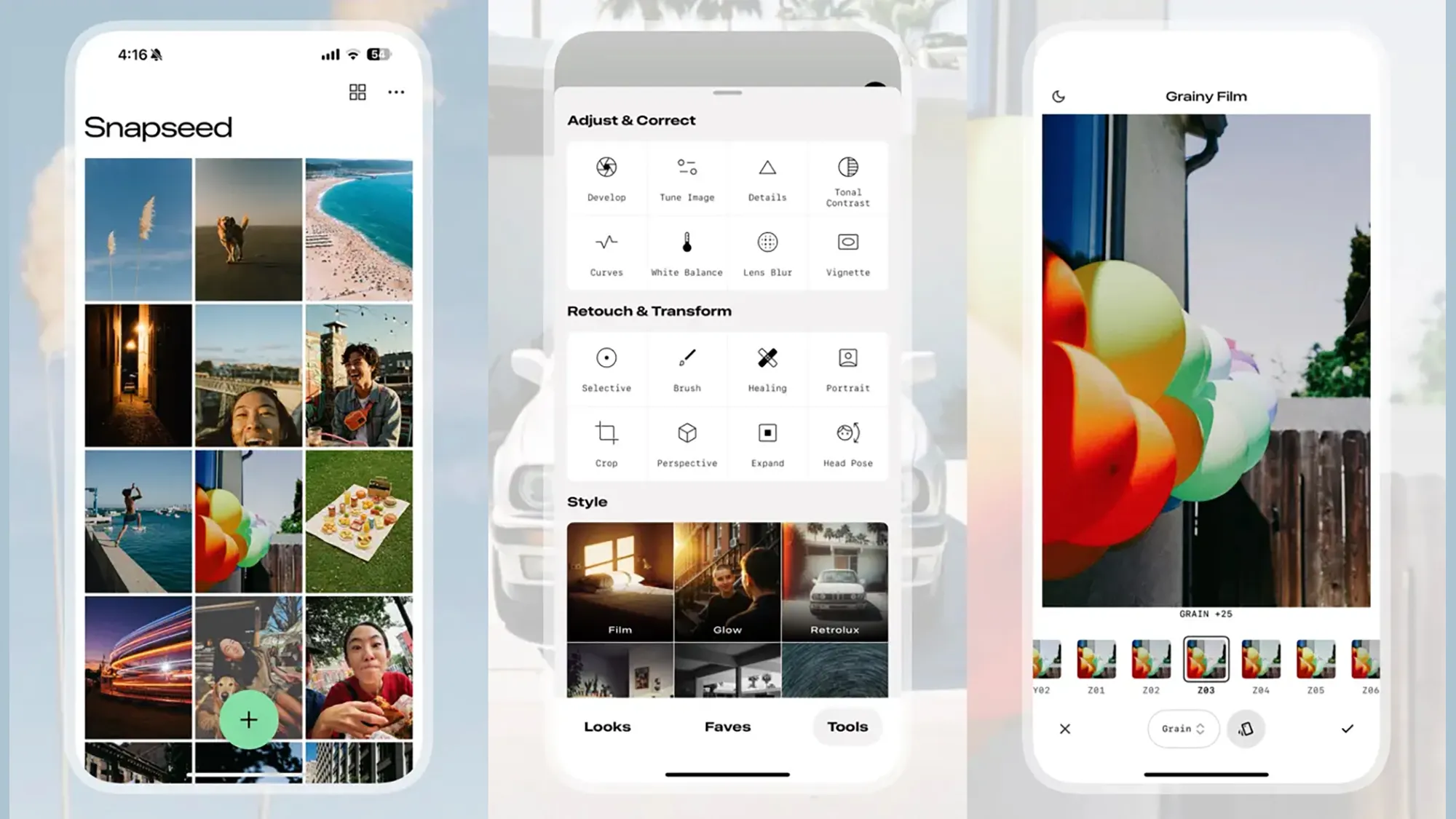
Snapseed is one of the most popular mobile photo editing apps, widely used by creators, photographers, and casual users alike. While editing is intuitive, many users still struggle with a common question: how to properly save Snapseed photos without losing quality or overwriting the original image.
In this guide, you’ll learn exactly how Snapseed photos are saved, the differences between export options, and how to manage, back up, and share your edited images efficiently. We’ll also explore an advanced feature that enhances workflow consistency: Snapseed QR Codes.

How Snapseed Photos Are Saved After Editing
Snapseed uses a non-destructive editing system, meaning your original photo remains unchanged until you choose how to export it. Understanding this workflow is essential to avoid losing edits or damaging image quality.
Once you finish editing, all actions related to saving photos are handled through the Export menu.
Step-by-Step: How to Save Snapseed Photos
1. Finalize Your Edits
Before exporting, review all adjustments carefully. Snapseed photos often go through multiple layers of edits such as exposure correction, color grading, selective adjustments, and sharpening. Make sure everything looks exactly how you want before saving.
2. Open the Export Menu
Tap the Export button in the bottom-right corner of the screen. This is where Snapseed gives you full control over how your photos are saved or shared.
3. Choose the Best Save Option for Photos
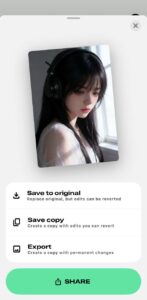
Snapseed offers several export methods, each serving a different purpose:
Save a Copy
This option creates a new version of your photos while keeping the original file intact.
-
Best for experimenting with different looks
-
Ideal for preserving the original image
-
Recommended for most users
The saved file usually appears with “_edited” added to the filename.
Export
Exporting Snapseed photos flattens all edits into a final image.
-
Removes edit history
-
Produces a clean, finished file
-
Ideal for publishing or uploading
Once exported, the photo can no longer be re-edited inside Snapseed.
Overwrite Original
This replaces the original image with the edited version.
-
Not reversible
-
Only recommended if you have a backup
-
Risky for important Snapseed photos
Share
This option allows you to instantly send photos to:
-
Social media platforms
-
Messaging apps
-
Cloud storage services
Snapseed automatically prepares the image in optimal format for sharing. If you are using Snapseed for PC so here will be THE BEST CHOICE FOR YOU: Snapseed Mod APK

Where Saved Snapseed Photos Are Stored
After saving, Snapseed photos usually appear in:
-
Your device’s default gallery
-
A Snapseed or “Edited” album (depending on device)
Always double-check the file location to ensure your photo was saved correctly.
How to Back Up Snapseed Photos Safely
To protect your work, it’s highly recommended to back up Snapseed photos regularly. Common backup options include:
-
Google Photos
-
Dropbox
-
OneDrive
-
External storage devices
Backing up ensures your photos remain safe even if your phone is lost or damaged.
Snapseed QR Codes: Share and Reuse Snapseed Photos Edits
Snapseed QR Codes allow you to share editing settings, not just the image itself. This is especially useful if you want consistent editing styles across multiple photos.
How Snapseed QR Codes Work
Each QR code stores all adjustments applied to a photo. When scanned, the same edits can be applied instantly to another image inside Snapseed.
Find out more for THE BEST SNAPSEED QR CODES 2026 RIGHT HERE

How to Create a Snapseed QR Code
-
Finish editing your Snapseed photo
-
Tap Export
-
Select Create QR Code
-
Share or save the QR code for future use

Why Use Snapseed QR Codes for Snapseed Photos?
-
Consistent editing style across photos
-
Fast workflow for batch editing
-
Easy sharing of presets and looks
-
Learning tool for studying other creators’ edits

Best Practices for Managing
-
Save multiple versions instead of overwriting
-
Always export Snapseed photos at the highest resolution
-
Organize edited photos into folders or albums
-
Store Snapseed QR Codes alongside finished images
Conclusion
Saving Snapseed photos correctly is just as important as editing them. By understanding export options, storage locations, and backup strategies, you can protect image quality and maintain full creative flexibility.
In addition, features like Snapseed QR Codes help streamline your workflow and ensure consistency across all photos. Whether you’re a beginner or an experienced editor, mastering these tools will significantly improve your photo editing process.